Business Strategy
How Event Companies Speed Up Check-In and Run Events With Fewer Staff
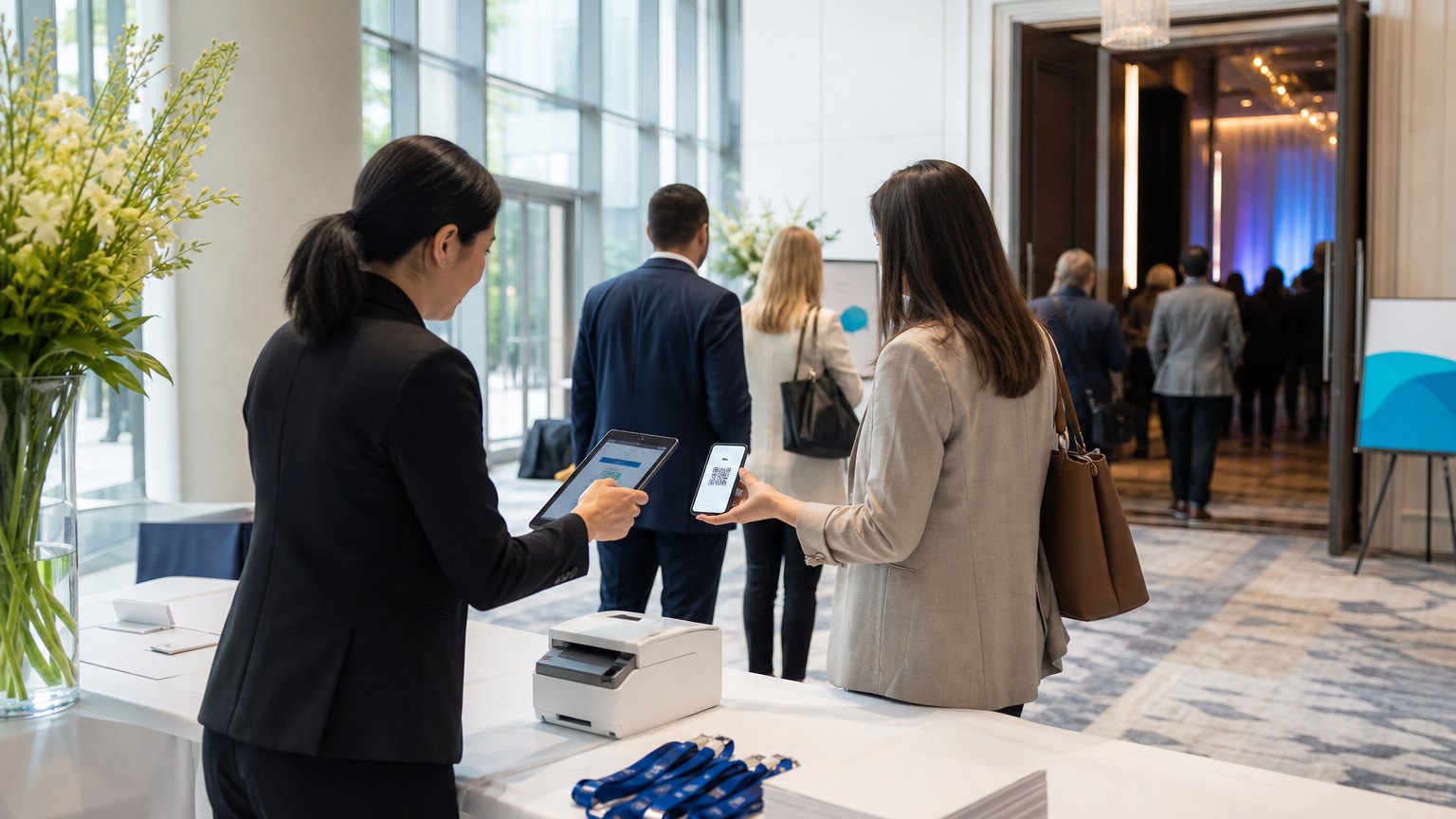
The registration line is the first thing guests remember and the most staff-hungry hour of the day. Here is how event teams shorten both.
Every guest who waits at registration starts your event annoyed, and every clipboard needs a person behind it.
Ask an event manager where the day goes wrong and most will point to the same 45 minutes: the registration rush. Pre-registered guests wait behind walk-ins filling in paper forms. Someone searches a printed list for a misspelled name. A manager walks the room to estimate the headcount because no one has a live number.
Then the event ends and the second shift begins: typing up walk-in forms, reconciling sign-in sheets with the registration list and building the client report.
Both problems have the same root. The event runs on paper and spreadsheets, so every task needs a person, and the information never arrives where it is needed in time. This guide covers where on-site hours go, how to design a faster check-in flow, and how to plan staff from data instead of habit.
Where the on-site hours go
| Task | Paper or spreadsheet process | Digital process |
|---|---|---|
| Event setup | Rebuilt from last year's files each time | Created from a template in minutes |
| Pre-registered check-in | Name search on a printed list | Code scanned at the door |
| Walk-ins | Paper form, typed up later | Short form on a tablet, recorded instantly |
| Headcount | Someone counts the room | Live count from every check-in |
| Post-event report | Built by hand from sheets and forms | Generated from the same data |
The right-hand column does not need exotic technology. It needs one system where the event, the guest list and the check-ins live together.
Start with setup: templates beat copy-paste
Most event teams rebuild each event from the last one: copy the spreadsheet, rename the tabs, update the dates, and hope nothing old survives. Errors from that copy-paste show up on the day, as the wrong room on a badge or last year's session in the agenda.
Build a template for each event type you run, such as a client meeting, a conference day or a gala. Each template holds the standard schedule, the registration questions, the badge layout, the staffing plan and the report format. A new event then starts from the template, and the team edits only what is different. The template also becomes the place where lessons from the last event get written down, so they survive staff turnover.
- Send each registrant a scannable code before the event
- Scan at the door, print the badge on the spot
- Route walk-ins to a separate short form
- Send every check-in to a live headcount
- Close the event with reports built from the same data
Design the check-in flow
Send a code before the event. A confirmation email with a scannable code turns check-in into a two-second action. Put it in the reminder email as well, since that is the one guests will find at the door.
Print badges on the spot. Pre-printed badges mean a sorting table and a box of no-shows. Printing at scan time removes both.
Separate walk-ins. A walk-in takes several times longer than a scan. Give walk-ins their own station and a form that asks only what you truly need.
Make every check-in count twice. Each scan should update a live headcount that managers can see on their phones, so they can open another station or move staff before the line forms.
Close from the same data. Attendance, no-shows and walk-ins should flow straight into the client report. If someone still types up forms after the event, the system is not finished.
Staff from data, not habit
Most event teams staff registration by rule of thumb. A better method uses your own numbers. Here is a worked example with hypothetical figures:
Run the same calculation after every event with actual data, and your staffing plan gets tighter each time.
Pitfalls to avoid
What to measure
By the numbers
Published industry case studies from software firms show what replacing paper with one event system has delivered. The figures below are self-reported by the firms that published them, and each describes a single project rather than an industry average.
- 50%+faster attendee check-in at a corporate event manager after moving check-in to iPads
- 25%lower staffing requirement for large events at the same company
- 30%faster event preparation at a conference organizer that piloted AI planning tools
Self-reported results from case studies other software firms have published. See Sources & method below.
Where does your team sit? The 14-day Ops Efficiency audit measures it. Book the audit
One question before your next event
How long did the last guest in line wait at registration, and how many staff hours did your team spend between setup and the client report?
If nobody on the team can answer either part, that is the first thing to fix, before any new software. Put a stopwatch on the line and a timesheet on the report at your next event. If the numbers surprise you, book a systems review and we will help you work out where those hours go.
Sources & method
- Corporate event manager, event setup system and iPad check-in — published case study (Blue Lizard)
- Conference organizer, AI-assisted event planning — published case study (West Monroe)
Figures are self-reported results from case studies other software firms have published. Delta did not produce these results. Where a source says “up to”, so do we.
FAQ
Frequently Asked Questions

Know a business that’s struggling to keep up with changing customer expectations?
Share this article.
Tell Us What You’re Seeing
How are customer expectations changing in your industry? Share your thoughts privately with Delta Insights.