Staffing · light industrial
Applicant Tracking & Workforce Platform
The recruiting operating system a staffing firm runs on.
A high-volume light-industrial staffing firm was losing candidates to stale data and burning recruiter hours on manual calls and texts — Delta replaced its off-the-shelf ATS with a custom platform that keeps the database alive, activates the right candidates automatically, and unifies recruiting, a mobile workforce app, and back-office in one system.
Representative engagement · anonymized · figures illustrative
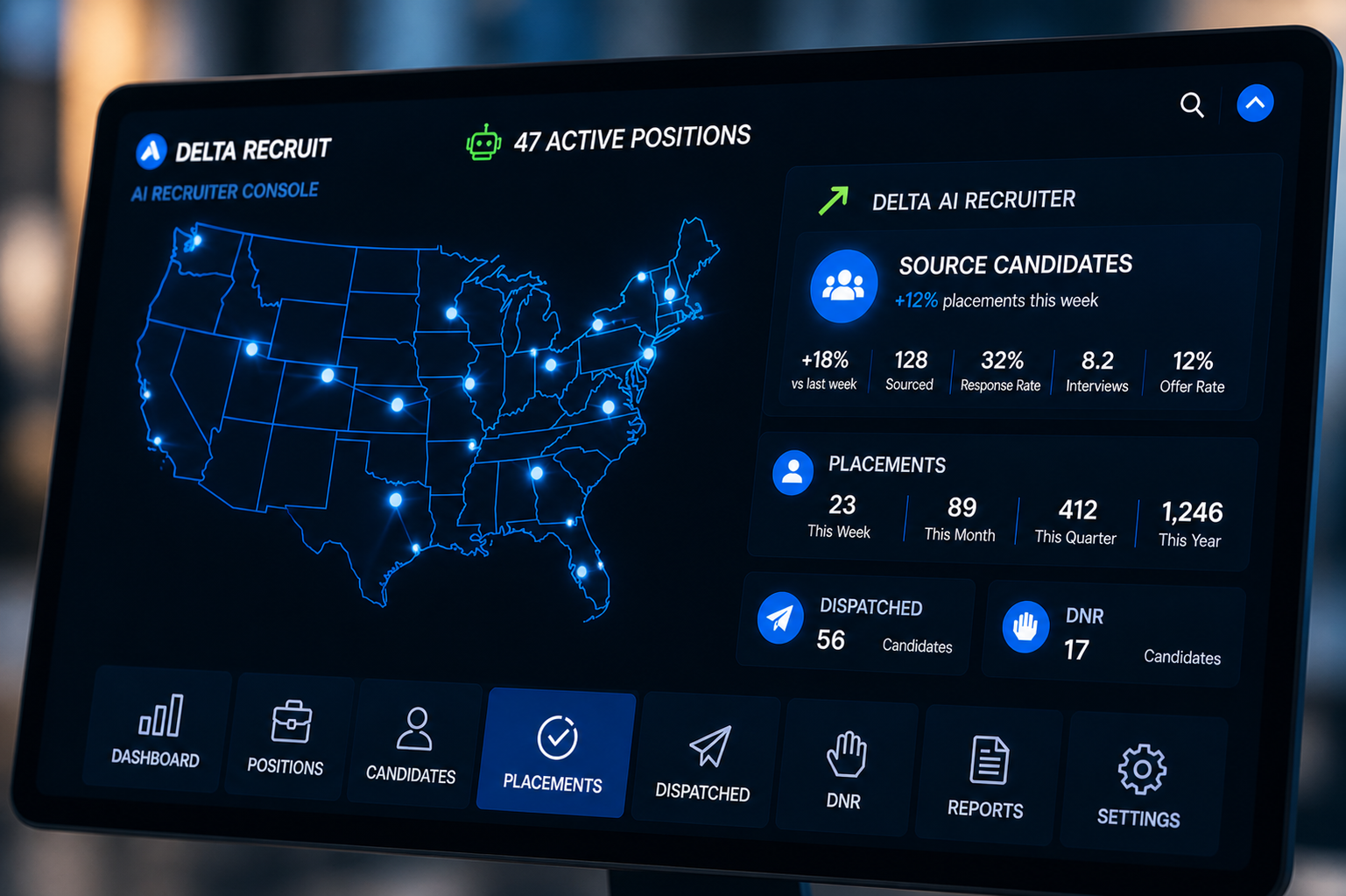
The stakes
The database was full. It just wasn’t alive.
In high-volume light-industrial staffing, speed is revenue. A job order lands and the clock starts — the branch that reaches the right available worker first wins the fill. But the firm’s database, thousands of candidates deep, went stale faster than anyone could keep up. A worker who was ready 30, 60, or 90 days ago was a coin flip today, and no one knew which.
So recruiters spent their days doing it by hand: calling, texting, re-checking availability, re-qualifying the same people, and updating statuses across an off-the-shelf ATS, a phone system, a texting tool, and email that never agreed. Every candidate’s history — the calls, the texts, the notes — lived somewhere different. Leadership, meanwhile, had no live read on fill rate, branch performance, or which orders were about to blow their deadline. Friction everywhere. And friction slows placements.
Why Delta
Built around the desk, not the demo.
Delta was brought in because this was not a database problem — it was an operations problem with a software solution. A generic ATS can store candidates. It cannot change the fact that recruiters spend more time finding and re-qualifying people than placing them.
Our engagement is audit-first: we sat with the recruiting desk before writing a line of code — how a job order actually moves, what a stale candidate really costs, why every off-the-shelf tool forced the team to work around it. The goal was a proprietary system built around how this firm recruits, not another vendor template the firm has to bend itself to fit.
The approach
Map the desk. Then take the manual work off it.
We mapped the entire operation first — sourcing, screening, outreach, placement, and the hand-off to back-office — desk by desk, so the software fit the real workflow instead of an idealized one. Then we built in layers, shipping usable software to real recruiters before designing the next piece.
Each layer removed a category of manual work and folded another scattered system into one. No big-bang rebuild — every release earned its place on the desk before the next one was scoped.
- One candidate record designed as the single source of truth — calls, texts, email, notes, skills, certifications, availability, documents, and placement history in one profile
- Source Mode built so recruiters activate the right candidate pool — filter by location, distance, skill, certification, availability, shift, last contact, and AI match score, then reach them without leaving the screen
- Search Mode added for plain-language questions across candidates, clients, and job orders
- Calls, email, and SMS connected to the profile, with AI drafting outreach, running first-pass screening, and summarizing every conversation
- Automated 30/60/90-day re-engagement wired in to keep the database warm on its own
- Extended to a mobile workforce app for candidates and a client job-order portal, with recruiting activity feeding time, attendance, and payroll and billing prep
How it works
One system. Recruiter to candidate to client.
Every candidate is one record. When a recruiter calls from the connected phone system, texts, or emails, it lands on that profile automatically — no copying between tools, no lost history. Source Mode turns a job order into an activated pool: filter the database by who is actually available and qualified nearby, rank by AI match score, then fire an SMS blast, a call list, or AI-drafted outreach with screening questions attached.
Search Mode answers the questions recruiters and leadership actually ask — “available forklift drivers near the job site,” “who hasn’t responded in 30 days,” “which open orders have no candidates assigned” — in plain language. An AI communication engine, routed across multiple models by task, handles availability checks, reminders, no-show follow-up, re-engagement, and next-best-action, while recruiter and leadership dashboards surface pipeline health, fill rate, branch performance, and orders at risk in real time.
- Custom ATS (Next.js + Postgres) — one candidate source of truth
- Source Mode — filter, rank & outreach engine
- Search Mode — natural-language search across candidates, clients & orders
- AI communication engine — multi-model routing for drafting, screening & summaries
- Call, email & SMS integrations
- Mobile workforce app + client job-order portal
- Automated 30/60/90-day candidate re-engagement
- Time & attendance → payroll and billing prep
- Role-based access with audit logging
The outcome
Recruiters activate the pool instead of digging for it.
The database stops going stale. Automated 30/60/90-day re-engagement keeps candidates warm without a recruiter having to remember, so the people in the system are current and reachable when an order lands. Every interaction — call, text, email, note — accumulates on one profile, which means no one re-qualifies the same worker twice or loses the thread on a hot candidate.
When a job order comes in, a recruiter opens it and reaches the right pool in minutes: filtered, ranked, and messaged from one screen, with AI drafting the outreach and running the first-pass screen. And for the first time leadership reads fill rate, branch performance, pipeline health, and orders-at-risk live — not from a spreadsheet that was already wrong by the Monday call.
“We stopped losing candidates to the calendar. The system keeps the database warm, puts the right people in front of the recruiter, and finally shows us what’s happening across every branch in real time.”
— Operations Leader, light-industrial staffing firm
Have a workflow no off-the-shelf tool fits?
A systems review is a focused look at where your operation loses time, candidates, and revenue — and a concrete plan for the platform built around how you actually work.
Request a Systems Review